Thermal printer protocols are easy to underestimate. A printer may be visible over USB or Wi-Fi, accept a connection, and still produce a blank label or a page of command text. The connection worked. The printer simply did not understand the language used to describe the label.
The short answer is that ZPL II is a practical first raw-command target because several major vendors document compatible modes. TSPL or TSPL2 is a useful second target for TSC fleets. EPL2 serves legacy applications, while Brother Raster opens a separate QL command path. The remaining languages become important when customer hardware or existing applications require them. The rest of this guide explains why a demand-led roadmap is more useful than a popularity chart.
This guide covers the major raw command, raster, and stored-template paths used by thermal label and mobile printers. Compatibility examples were checked against vendor documentation available on September 1, 2026. Always verify the exact model, firmware, resolution, and installed options before promising support.
A printer language is only one layer
People often use the word protocol for several different parts of printing. Keeping the layers separate makes most compatibility problems much easier to diagnose.
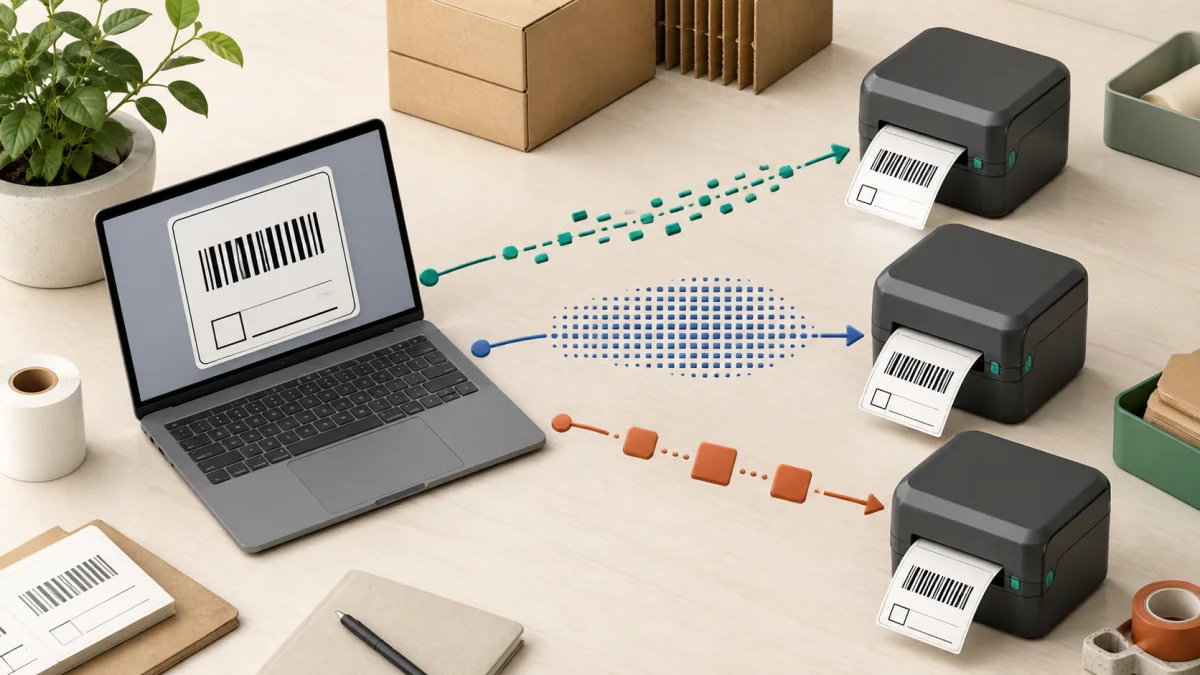
USB, Bluetooth, serial, Wi-Fi, Ethernet, raw TCP, LPR, and IPP move a job to the printer. They do not define the label layout.
ZPL, EPL, TSPL, CPCL, and DPL describe label objects and often expose media, status, storage, and finishing controls.
PDF, PWG Raster, JPEG, and proprietary raster streams represent a page or its pixels. Job attributes or separate device commands may still control media, cutting, peel mode, and other hardware.
Code 128, EAN-13, Data Matrix, and QR Code define how data becomes bars or modules. The printer language places and generates that symbol.
For example, a ZPL job can travel over USB, Bluetooth, or a network connection. TCP port 9100 is registered as a printer page-description-language data stream, but the bytes inside still need to be a language the printer understands (IANA service registry). IPP is a job-management protocol. Clients can discover printers through DNS-SD, query capabilities through IPP, submit jobs, and receive status. The job still needs a document format the printer advertises, such as PWG Raster, JPEG, or PDF (RFC 8011, PWG IPP guide).
Driverless printing has become normal for office printers, but industrial label printers remain a notable exception. OpenPrinting specifically identifies industrial label and other vertical-market printers as common holdouts that still need a driver, printer application, or raw language path (OpenPrinting driver guidance).
Three integration patterns for the same label
Most direct label-printing integrations use one of three patterns. None is universally best, and they are not mutually exclusive. A stored-template workflow usually sits on top of a native command language or printer firmware. The right choice depends on how much layout work belongs in the host, how much belongs in the printer, and how many printer families must share one design.
| Model | What the application sends | Main advantage | Main cost |
|---|---|---|---|
| Native command language | Text commands for positions, fonts, barcodes, media, and print quantity. | Small jobs, printer-generated barcodes, status and device control, stored formats. | A separate renderer and test surface for each language or emulation. |
| Raster stream | A finished one-bit or limited-color bitmap plus model-specific setup and feed commands. | The application controls the final appearance with one visual layout engine. | Larger payloads, exact dot packing, media tables, orientation, and model quirks. |
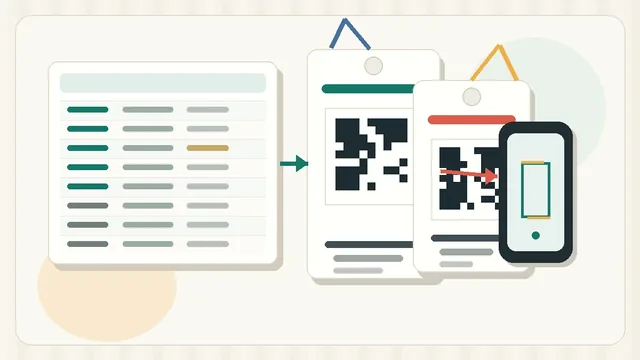
| Stored template | A template is installed once, then each job sends variable text, barcode data, or a template number. | Very small runtime jobs and useful standalone workflows. | Template deployment, versioning, synchronization, and limited layout changes at runtime. |
Command languages are not necessarily more accurate than raster output. They move different responsibilities into the printer. A native barcode command lets the printer firmware calculate the symbol. A raster path requires a host-side pipeline, either the application or a driver, to render every bar at the printer's final resolution. A shared host renderer can preserve intended geometry across model-specific raster back ends when each bitmap is generated at the target printer's native resolution and is never scaled afterward.
Drivers can make that conversion convenient without exposing every printer feature. Honeywell's CUPS brief shows PDF or PostScript being rasterized and packaged as Direct Protocol graphics, while raw Fingerprint, IPL, or DPL jobs use pass-through queues. That driver path does not expose cutter or RFID support, a useful reminder that visual fidelity and device control are separate concerns (Honeywell CUPS technical brief).
How to recognize the common languages
A captured print job often reveals its language before the printer model does. These are recognition patterns, not complete print-ready examples.
| Language | Typical pattern | What that pattern means |
|---|---|---|
| ZPL II | ^XA ... ^FO ... ^FD ... ^XZ | A format starts, fields are positioned and filled, then the format ends. |
| EPL2 | N, then A or B fields, then P1 | Clear the image buffer, add text or a barcode, print one label. |
| TSPL or TSPL2 | SIZE, GAP, CLS, TEXT or BARCODE, PRINT | Human-readable setup and drawing commands build the label. |
| CPCL | ! 0 ..., layout commands, FORM, PRINT | A mobile-oriented ASCII label format with an explicit job header. |
| Brother Raster | Binary initialization, control bytes, repeated raster lines, final print command. | The label is already rendered into dots before it reaches the printer. |
| ESC/POS | Escape and group-separator control bytes mixed with text or image data. | A receipt-oriented stream controls line layout, cutting, status, and optional label features. |
ZPL II: a practical compatibility foundation
ZPL means Zebra Programming Language. ZPL II is the modern variant usually meant by ZPL in current specifications, although Zebra notes that it is not fully compatible with original ZPL. It is an ASCII command language for label fields, fonts, shapes, graphics, barcodes, serialization, stored formats, printer settings, and status. Zebra's programming guide documents both format commands and control commands, including saved templates and downloaded graphics (ZPL programming guide).
Its importance comes from more than Zebra hardware. Current or recent products document ZPL-compatible modes under names such as TSC ZPL2 emulation, Honeywell ZSim2, SATO SZPL, BIXOLON BPL-Z, and GoDEX GZPL. Citizen lists ZPL2 beside Datamax and EPL2 emulations on the CL-E303 (Citizen CL-E303 specifications). Toshiba lists ZPL II alongside its native TPCL on selected models.
This makes ZPL II a practical first language for a cross-brand raw-printing product. It does not mean every ZPL command behaves identically everywhere. Fonts, RFID commands, downloaded objects, media calibration, status replies, and newer commands are common points of difference. A product should advertise support for a tested ZPL profile, not claim that all ZPL printers are interchangeable.
EPL and EPL2: valuable legacy coverage
EPL means Eltron Programming Language. EPL2 Page Mode describes a full label with positioned fields. EPL1-compatible Line Mode is an older, simpler mode that provides EPL1-style line-oriented output and has important layout limits. Zebra describes Line Mode as unsuitable for fine element placement, overlapping elements, or horizontal ladder barcodes (Zebra EPL Line Mode guide).
Zebra continues to document EPL2 for compatibility with legacy applications, and multiple current printer models list EPL2 or an EPL2 emulation. Its full programming guide remains available for ASCII text, barcode, graphics, form, variable, and counter commands (EPL programming guide).
The practical limitation is overlap. Several current examples in this guide document both EPL and ZPL. The incremental device coverage from adding EPL after ZPL is therefore unknown, even when EPL has broad documented compatibility. It is still a sensible early addition when existing customers have EPL templates, or when test hardware already supports it.
Do not assume a layout that fits in ZPL will fit in EPL. Zebra documents TrueType, OpenType, scalable-font, and Unicode mapping capabilities in ZPL, while EPL cannot use the same scalable font objects. Test the real character set, font metrics, wrapping, and fallback behavior on each target implementation.
TSPL, TSPL2, and TSPL-EZ
TSPL and TSPL2 are TSC's label-formatting languages. They belong to the same family, but they are not perfect synonyms. The official combined manual identifies model and command differences between them. Their human-readable commands set the label size, gap or black mark, direction, density, text, barcodes, bitmaps, counters, files, and print quantity (TSPL and TSPL2 programming manual).
TSPL-EZ is TSC's compatibility and emulation family, not another way to spell every TSPL command. The suffix and supported emulations vary by model. For example, TSC lists the RE310 language as TSPL-EZC (EPL2, ZPL2, CPCL), or ESC-POS (TSC RE310 product page). Other TSC models may list a different TSPL-EZ variant or a different compatibility set.
For a label application, native TSPL support is valuable when TSC printers are a meaningful part of the customer fleet. The emulations also make a TSC printer useful for development, but they should not be treated as proof that output will match a native implementation of the emulated language in every edge case.
Brother has two different command worlds
Brother is easy to misclassify because its product families do not all use the same integration model. The QL family is the clearest example. Brother's developer matrix lists the QL-820NWB and QL-820NWBc with Raster, ESC/P, and P-touch Template support. It lists the QL-800 as Raster only, and several other QL models with their own combinations (Brother command-reference model matrix).
Those are the currently documented standard QL-820NWBc command interfaces. However, model and regional qualifiers matter. An older official European QL-800-series sheet advertised ZPL II emulation for the QL-820NWB upon request (Brother Europe QL-800-series sheet). Verify model suffix, region, firmware, and optional configuration before making an absolute ZPL claim about every QL-820 unit. Raster remains the clearly documented direct path across this QL generation.
Render the complete label to dots, then send initialization, media information, raster lines, and a print command. Best when the application already owns layout and barcode rendering.
Send printer drawing and text commands instead of a finished bitmap. Brother adapts this language for its printers, and it is not the same as receipt-oriented ESC/POS.
Transfer a prepared template to the printer, then fill text and barcode objects from a scanner, computer, or other device without rebuilding the whole layout.
Brother's QL-800-series Raster reference says a job contains initialization commands, control codes, raster data, and print commands. It also defines model-specific page sizes, margins, resolution, compression, cutting, and two-color raster data (Brother QL Raster command reference). Raster therefore simplifies visual portability, but it does not eliminate device-specific work. The integration still needs correct media identifiers, dot dimensions, orientation, compression, status handling, and cut behavior.
Brother Raster is a proprietary, model-family command stream. PWG Raster is a standardized document format commonly submitted through IPP. Both describe pixels, but their framing, commands, and interoperability are different, so they are not interchangeable.
Selected Brother RJ, TD, and TJ printers form a different group. Brother documents FBPL plus model-specific ZPL, EPL, CPCL, DPL, or ESC/POS emulations. On the RJ-2035B, downloadable FBPL-EZC firmware provides EPL2, ZPL2, and CPCL, while FBPL-EZP provides EPL2, ZPL2, and ESC/POS. CPCL and ESC/POS therefore should not be promised together without checking the installed firmware (Brother RJ firmware FAQ). The separate EPL guide lists the commands the emulation supports (Brother EPL emulation guide).
CPCL and ESC/POS: mobile and receipt-oriented paths
CPCL stands for Comtec Printer Control Language. It combines a label-formatting language with a line-print mode and is closely associated with mobile printing. The current Zebra CPCL guide is unusually direct about strategy: ZPL is preferred for new development, while CPCL is maintained on selected Link-OS printers for backward compatibility, and new ZPL features generally do not arrive in CPCL (Zebra CPCL guide).
CPCL remains important when an application or mobile fleet already uses it. On models such as the ZQ600 Plus that accept CPCL, ZPL, and EPL, CPCL preserves existing jobs but does not add another physical model (ZQ600 Plus language documentation). Other current models, including the ZQ120 Plus and ZQ220 Plus, document CPCL and ESC/POS without ZPL, so the incremental value is model-dependent (ZQ120 Plus and ZQ220 Plus overview).
ESC/POS was introduced by Epson as a proprietary point-of-sale printer command system. It covers text, print position, paper movement, status, barcodes, bit images, and hardware such as cutters. It is not receipt-only: Epson's TM-L90 command list and label example include label and black-mark positioning on applicable models (TM-L90 command list, Epson label example). Non-Epson ESC/POS-compatible implementations can expose model-specific subsets and defaults. It remains a high priority for receipt software, but usually a lower priority for an application centered on die-cut barcode labels.
Other vendor and industrial languages
These languages matter, but their use and public documentation are concentrated in specific vendor ecosystems and migration scenarios. A concise map is more useful than treating every acronym as an equal platform.
| Language | Home ecosystem | Why it still matters | Practical support trigger |
|---|---|---|---|
| DPL | Datamax, now within Honeywell's printer lineage. | DPL originated with Datamax, and Honeywell still publishes a current DPL command reference. Other brands also emulate it. | Add it when Honeywell or Datamax model telemetry justifies a tested profile. |
| IPL | Intermec Printer Language, now supported in Honeywell products. | Long-lived warehouse and industrial systems may already generate this host-based language (IPL command reference). | Prioritize it for Intermec migrations or a known Honeywell fleet. |
| Fingerprint | Intermec and Honeywell. | A BASIC-inspired printer-resident language that can run programs, logic, data processing, and standalone print workflows (Fingerprint command reference). | Use when a Honeywell integration needs printer-side applications or existing Fingerprint programs. |
| Direct Protocol | Intermec and Honeywell. | A host-driven subset of Fingerprint, not another name for IPL. | Use for existing Direct Protocol formats or native Honeywell workflows that do not need a full printer-resident program. |
| SBPL | SATO Barcode Printer Language. | It is SATO's common native command family and can expose features an emulation does not. | Add for SATO-heavy customers or native RFID and device workflows. |
| TPCL | TEC Printer Control Language, native to Toshiba TEC printers. | It remains the native language on Toshiba barcode printers, although selected models also emulate competitors (TPCL driver manual). | Add when Toshiba fleets or a TPCL format library are in scope. |
| SLCS and BPL modes | BIXOLON label printers. | BIXOLON's SLCS manual defines its native label commands. Models can also list BPL-Z, BPL-E, and optional BPL-D compatibility modes. | Use native SLCS when BIXOLON-specific behavior matters; otherwise validate an existing emulation first. |
| EZPL, GEPL, GZPL, and GDPL | GoDEX. | The EZPL manual covers native EZPL plus EPL-compatible GEPL and ZPL-compatible GZPL. Current selected products also list Datamax-compatible GDPL (RT700i+ brochure). | Check the exact model and firmware, then test every compatibility mode before assuming identical output. |
| FBPL | Selected Brother RJ, TD, and TJ printers. | It is the documented native command path on models that may also expose several emulations and stored programs. | Add for native Brother industrial or mobile functions, not for the QL Raster family. |
Honeywell's current PM65 shows how one printer can accept host command languages, document formats, and printer-resident applications. Its specifications list DPL, Direct Protocol, Fingerprint, IPL, ZSim2 for ZPL II, PDF, XML, and C# smart printing in one device (Honeywell PM65 specifications). SATO's CT4-LX similarly lists native SBPL with competitor-compatible SZPL, SDPL, SIPL, STCL, and SEPL, plus an automatic language-analysis option (SATO CT4-LX language settings). SATO also documents that the selected language can limit features, including RFID commands that apply only in SBPL and SZPL on this model (CT4-LX language support).
Toshiba shows the same pattern. The BX430T documents native TPCL with automatic detection of ZPL II, DPL, SBPL, and PDF (Toshiba BX430T specifications). BIXOLON's SLP-DX220 lists SLCS, BPL-Z, BPL-E, and optional BPL-D (BIXOLON SLP-DX220). These examples explain why protocol totals cannot be added together. One physical printer can belong to several language categories.
Native support and emulation are not the same
An emulation interprets commands written for another printer family. It can make a replacement printer work without changing an established application, which is extremely useful. It is still a compatibility implementation with a defined command list, fonts, and device behaviors.
Brother's ZPL II emulation guide illustrates the difference clearly. It lists supported commands and fonts, requires media and calibration settings in Brother's management tool, and even documents a mechanism for ignoring selected ZPL format commands when they create print problems (Brother ZPL II emulation guide). A simple shipping label may work unchanged while a format that downloads fonts, queries status, writes RFID, or depends on a persistent setting does not.
What to verify on every emulation
- doneCommand subsetCompare every command the application emits with the exact model's emulation reference.
- doneFonts and encodingTest Unicode, code pages, font names, metrics, fallback glyphs, and downloaded font support.
- doneCoordinates and resolutionConfirm 203, 300, or 600 dpi output, rotation, origin, and rounding at final dot positions.
- doneMedia controlTest gaps, black marks, continuous stock, calibration, tear-off, peel, cut, and linerless settings as applicable.
- doneState and statusVerify initialization, persistent settings, error replies, job completion, pause, cancel, and reconnect behavior.
- doneReal labelsPrint jobs containing the shortest and longest expected data values, graphics, every barcode type, multiple copies, and jobs after a power cycle.
Why there is no honest protocol market-share chart
Public market reports normally estimate vendor revenue or unit shipments for a category such as barcode printers. A protocol-reach estimate needs much more: the active installed base by exact model, firmware and options, which emulations are enabled, which commands each emulation supports, and whether the fleet already accepts another language. No auditable public dataset reviewed for this guide provides that mapping.
Vendor share also cannot be converted directly into language share. Zebra hardware contributes to ZPL, but ZPL modes also appear on TSC, Honeywell, SATO, BIXOLON, Citizen, Toshiba, Brother, and GoDEX products. Conversely, a single SATO, Honeywell, or Toshiba printer may accept five or more languages. Percentages overlap, and their sum can easily exceed 100 percent.
| Example model | Documented language paths | What the example proves |
|---|---|---|
| Zebra ZQ600 Plus | ZPL, CPCL, EPL. | Several major Zebra languages can overlap on one mobile series. |
| TSC RE310 | TSPL-EZC (EPL2, ZPL2, CPCL), or ESC-POS. | One TSC mobile model covers several compatibility targets. |
| Brother QL-820NWBc | Raster, ESC/P, P-touch Template. | This QL model's standard documented command paths differ from the usual ZPL, EPL, and TSPL set. Optional ZPL must be checked by configuration. |
| Brother RJ-2035B (discontinued in North America) | FBPL plus EPL2 and ZPL2; CPCL with EZC firmware or ESC/POS with EZP firmware. | Brother's mobile industrial family differs sharply from its QL family, and firmware controls the final compatibility set. |
| Honeywell PM65 | Fingerprint, Direct Protocol, IPL, DPL, ZSim2, PDF, XML, C#. | Current industrial hardware may preserve several acquired legacy languages. |
| SATO CT4-LX | SBPL, SZPL, SDPL, SIPL, STCL, SEPL. | Native and competitor-compatible modes coexist in one desktop printer. |
| Citizen CL-E303 | Datamax DMX, ZPL2, EPL2. | Compatibility languages extend beyond the companies that originated them. |
| Toshiba BX430T | TPCL with ZPL II, DPL, SBPL, and PDF auto-detection. | Native TPCL and several replacement modes can share one platform. |
A better measurement is product telemetry. Record the exact printer model requested by users, whether the job uses a driver or raw data, the language currently generated, and whether another supported language already reaches that device. Then count incremental devices, not overlapping protocol labels.
What should a label application support first?
The right order depends on the starting point. A new product needs a broad foundation. A product that already prints ZPL and TSPL should optimize for new ecosystems and available test hardware.
| Stage | Language or path | Reason |
|---|---|---|
| Foundation | ZPL II | Several major vendors document compatible modes, and the language provides a capable modern label model. |
| Foundation | TSPL or TSPL2 | Native TSC coverage and a straightforward command model, especially when TSC devices matter to the target market. |
| Expansion | Brother Raster | Adds a direct-command path for QL models whose standard interfaces are Raster, ESC/P, and P-touch Template. Check optional ZPL by model and region. |
| Compatibility | EPL2 | Supports established legacy formats and is often inexpensive to add and test, but overlaps heavily with ZPL-capable hardware. |
| Mobile compatibility | CPCL | Important when real mobile fleets or existing CPCL applications require it; less incremental when the same devices accept ZPL. |
| Industrial compatibility | DPL | Useful for Datamax and Honeywell installations, with demand best confirmed from actual model data. |
| Demand-led | IPL, Fingerprint, Direct Protocol, SBPL, TPCL, SLCS, EZPL, FBPL, ESC/POS | Add native depth when a customer fleet, missing feature, or receipt workflow makes the return clear. |
If ZPL and TSPL already work, implementation order and strategic importance can differ. EPL2 may be the fastest next feature when a current test printer already emulates it. Brother Raster is a more distinct implementation path than another EPL2 emulation, but its incremental customer-device coverage is unknown until the target model list is measured. On models that already accept ZPL, CPCL adds job-language compatibility rather than new model coverage; CPCL-only models make it more valuable.
TSC RE310 versus Brother: the practical answer
The discussion that prompted this guide asked whether a TSC RE310 already supports EPL2 and whether a Brother printer adds an advantage. The documented answer is yes, the RE310 lists EPL2 through TSPL-EZC. Which Brother model matters more than the Brother name.
| Test printer | Documented paths relevant here | What it adds |
|---|---|---|
| TSC RE310 | TSPL-EZC (EPL2, ZPL2, CPCL), or ESC-POS. | Immediate low-cost testing for several emulations already in hand. |
| Brother RJ-2035B | FBPL plus EPL2 and ZPL2; CPCL or ESC/POS depends on installed EZC or EZP firmware. | Adds FBPL and a second manufacturer's emulator behavior, but EPL2, ZPL2, and CPCL overlap with the RE310. Brother Mobile Solutions marks it discontinued in North America; availability differs by region. |
| Brother QL-820NWBc | Raster, ESC/P, P-touch Template. | A separate QL integration path and therefore more command-path diversity. |
A used GK420d is useful only when you need to reproduce a legacy fleet. It supports native ZPL and EPL with automatic format detection plus EPL1-compatible Line Mode, but Zebra's lifecycle page shows regional sales ending in 2021 or 2022 and service ending in 2025 (GK420d lifecycle). For a new purchase, the current ZD421 is the supported reference for ZPL II and EPL2. EPL1-compatible Line Mode is limited to its 203 dpi direct-thermal configuration (ZD421 specifications).
Implement and test EPL2 on the RE310 first because the hardware is already available. If the next purchase is meant to maximize new command-path coverage, a standard QL-820NWBc Raster target adds more diversity than the RJ-2035B. Brother Mobile Solutions marks the RJ model discontinued in North America, while availability differs by region. Confirm the QL's regional configuration because optional, request-only ZPL support has appeared in older documentation. Add CPCL on the RE310 when mobile demand warrants it, then prioritize DPL or another native family from real customer requests.
There is one reason to choose the RJ-2035B anyway: cross-implementation compatibility testing. A second EPL or ZPL emulation can reveal assumptions that one implementation tolerated. That is useful after a product claims multi-vendor compatibility, but it is a different goal from adding an otherwise uncovered integration model.
Build support around capabilities, not acronyms
A maintainable printing system should keep one neutral label model, then render it through language-specific back ends. The neutral model defines physical size, final dot resolution, text runs, barcode data, quiet zones, images, copies, and finishing intent. Each back end reports what it can preserve and what it must rasterize or reject.
A release gate for every new printer language
- doneDeclare the profileList supported commands, barcode types, resolutions, media modes, encodings, and known exclusions.
- doneKeep golden jobsSave representative source jobs and expected rendered bitmaps for every back end.
- doneUse physical printersInclude at least one native reference when possible and one important emulation before claiming cross-vendor support.
- doneTest ugly dataPrint blank fields, long identifiers, leading zeroes, non-Latin text, control characters, and maximum barcode payloads.
- doneScan the resultVerify the actual barcode with the scanners and working distances used in the workflow.
- doneRepeat after updatesRe-run the matrix after printer firmware, renderer, font, compression, or media-setting changes.
Also keep label design and printer protocol tests separate. A language can render the requested dots correctly while the barcode still fails because it is too small, has insufficient quiet space, or was printed with the wrong darkness. Use the Barcode Label Design Checklist for the label itself, and compare direct thermal with thermal transfer before choosing stock and printer hardware.
Sources and research method
This article uses primary manufacturer programming guides, developer matrices, and current product specifications wherever possible. Product pages establish that a model exposes a language. Command references establish what that implementation actually supports. Commercial market-size estimates were not used to create protocol percentages because their categories, time periods, and overlap are not comparable.
- Zebra: ZPL programming documentation, EPL programming guide, and CPCL for Link-OS printers.
- TSC: TSPL and TSPL2 programming manual and RE310 language specifications.
- Brother: command-reference compatible model matrix, QL Raster reference, and RJ, TD, and TJ ZPL emulation guide.
- Honeywell, SATO, Toshiba, Citizen, and BIXOLON: the current product and language pages linked in the relevant sections above provide the cross-vendor compatibility examples.
- Standards and adjacent print paths: IPP Everywhere, IANA port 9100 registry, and Epson ESC/POS reference.
Export the last 90 days of requested printer models and group them by exact documented language path. Choose the next implementation based on how many additional devices it reaches, then print and scan a small compatibility regression pack before declaring the language supported.